Capture, then confirm
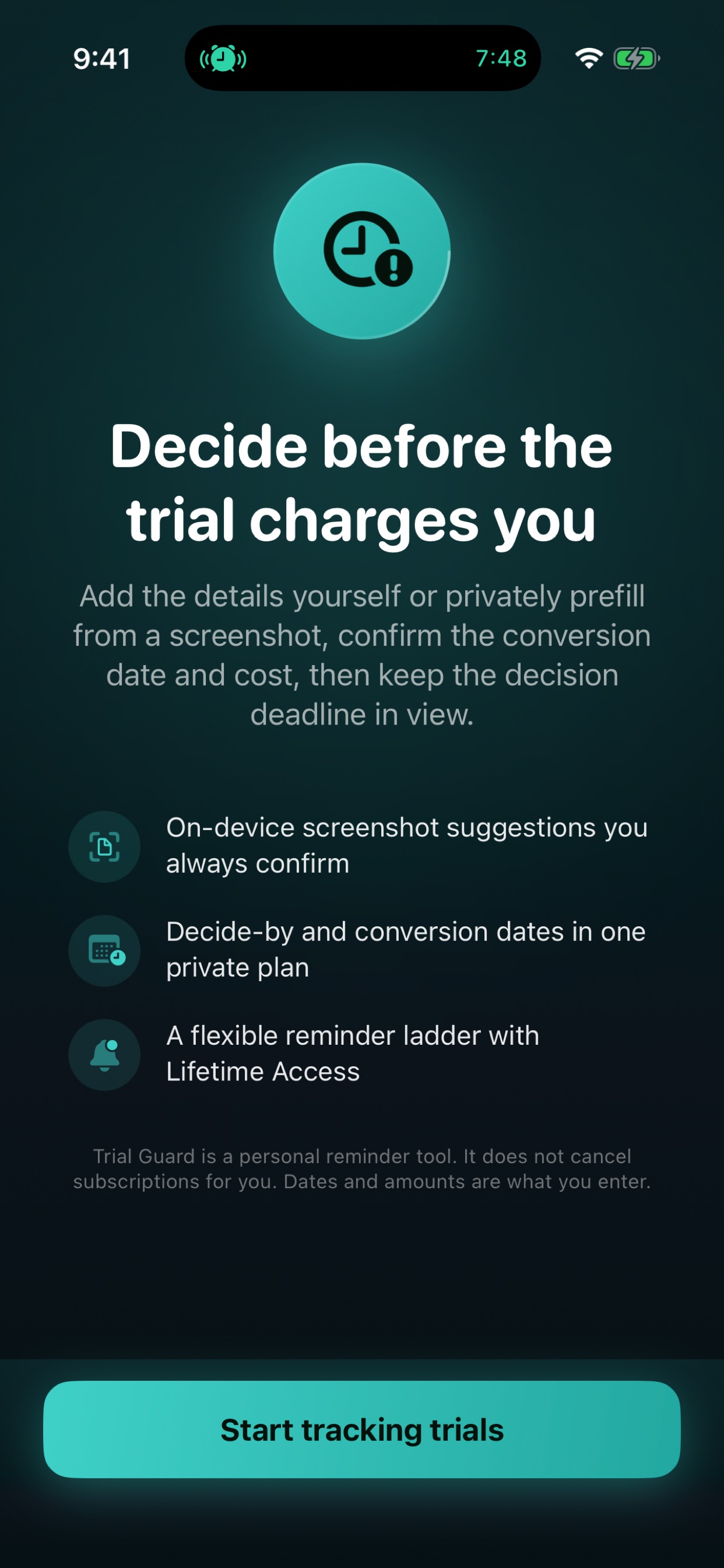
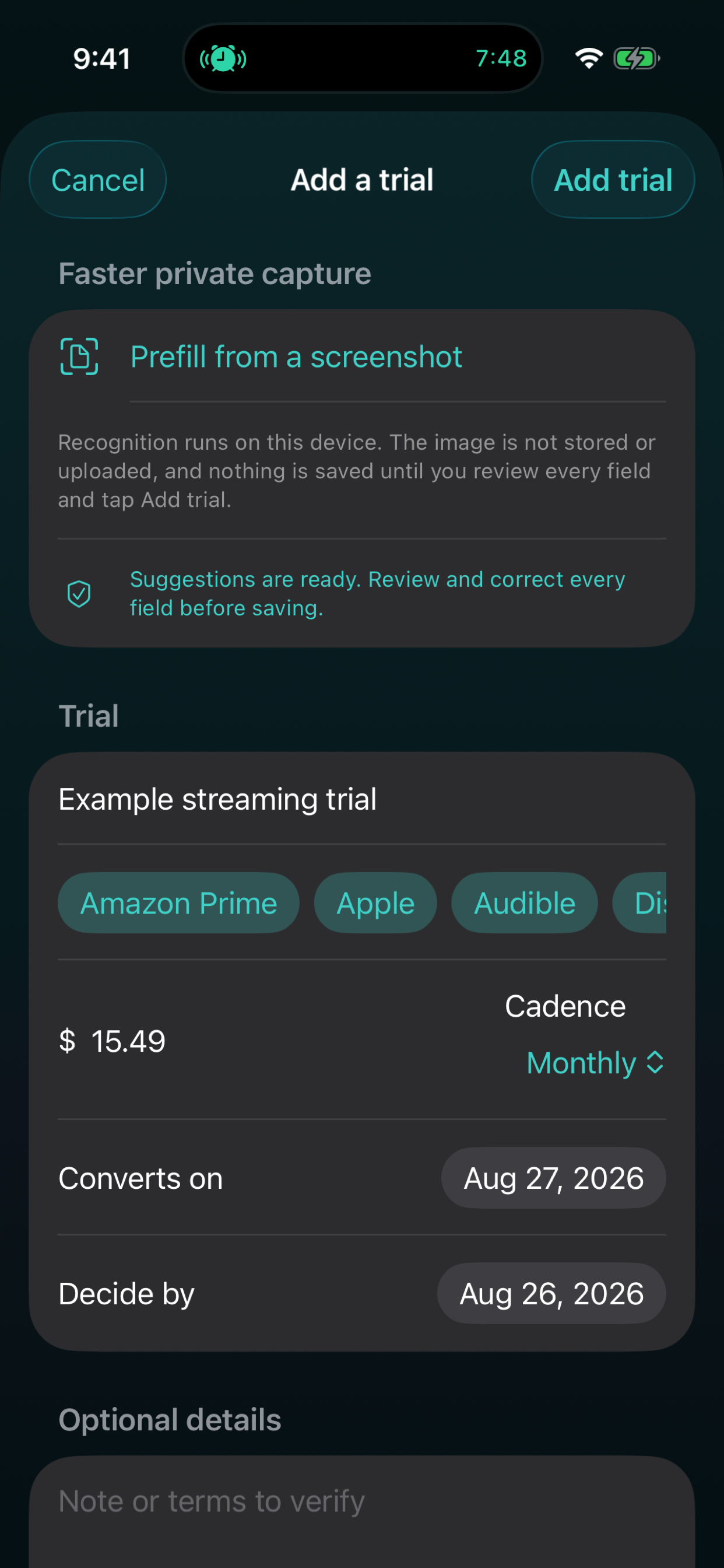
Use the system photo picker for private screenshot-assisted capture. On-device text recognition suggests details, but you review and confirm every field before saving.
Remember before it renews
Manually track free trials and recurring subscriptions, expected charges, renewal dates, and cancellation status—with private, decision-first reminders.
Trial Guard 1.2 is available now on the U.S. App Store for iPhone and Mac. The app is free to download, with an optional $4.99 one-time Lifetime Access purchase and no subscription or renewal.
Built for real life
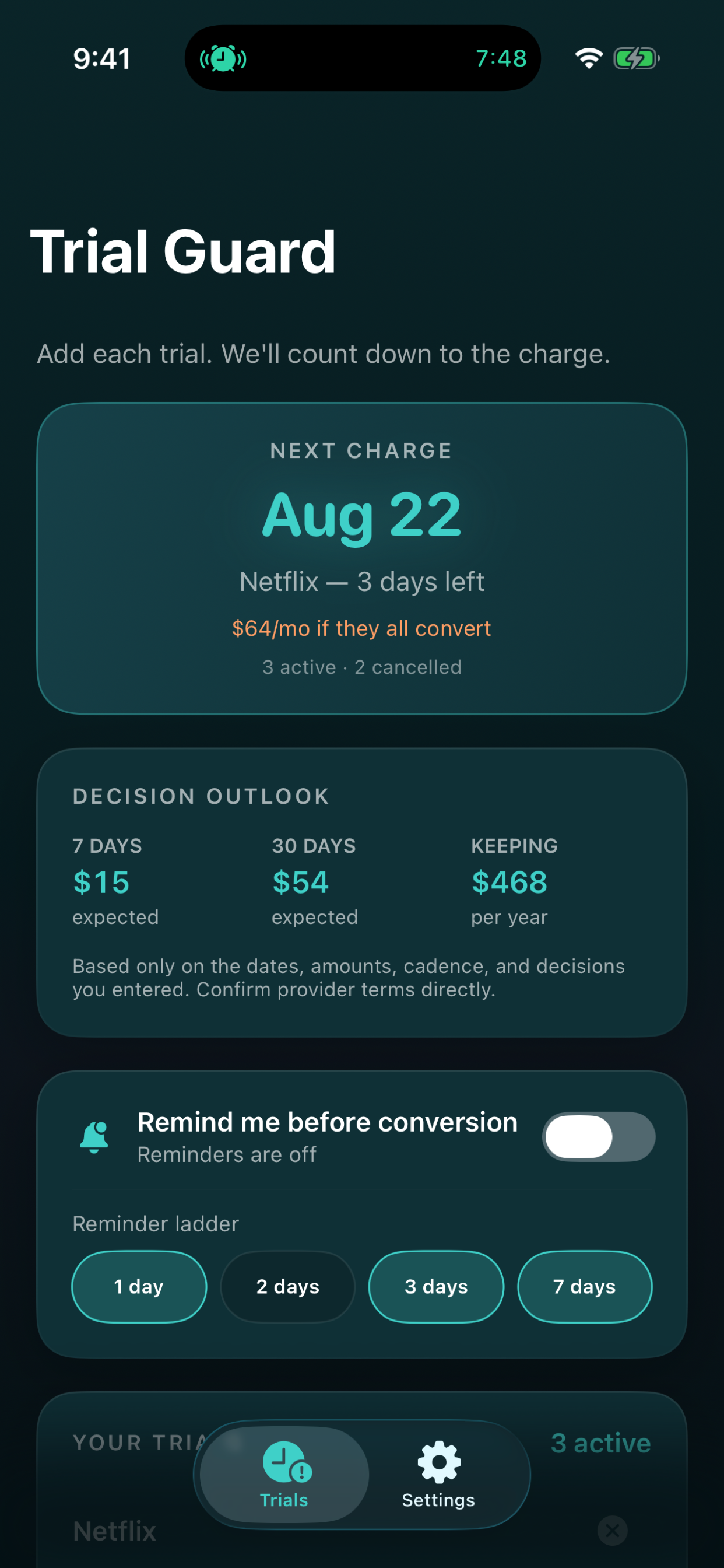
Five active trials or subscriptions combined, cancelled or paused history, countdowns, renewal-cost context, backup, calendar export, and a Home Screen widget.
Use the system photo picker for private screenshot-assisted capture. On-device text recognition suggests details, but you review and confirm every field before saving.
Create a recurring subscription directly or deliberately convert a kept trial while preserving its history. Keep distinct conversion and decide-by dates, plus upcoming renewal context with the price and weekly, monthly, annual, or one-time cadence you enter and expected-charge exposure for the next 7 and 30 days.
Lifetime Access adds unlimited active trials and subscriptions plus configurable local reminders at 1, 2, 3, and/or 7 days, with visible scheduling status.
Use decision-first widget updates, annualized context for trials marked Keeping, and per-trial calendar export. Trial Guard cannot cancel or manage a subscription for you.
A closer look
A 30-second product story
Stylized campaign imagery is paired with real public app captures. Playback starts only when you choose it.
Video description: Vertical video moves from a wall of abstract calendar pages to a person writing trial details and placing a reminder card beside a phone, followed by the real Trial Guard dashboard and a purple app end card.
Audio: Ambient audio only; there is no spoken narration.
On-screen text:
Use the method before the app
Both resources work without an account. The app remains optional.
Privacy & support
The app is designed to be useful without a developer-operated account or advertising profile.
No account, ads, tracking, automatic detection, provider login, bank or email linking, cloud sync, or cancellation service.
Trials, subscriptions, notes, screenshot-assisted suggestions, and reminders remain on your device. Suggested fields are not saved until you review and confirm them.
Portable backup leaves the app only when you explicitly export it.
Before you install
Available for iPhone with iOS 17 or later and Mac with macOS 14.0 or later.
Notification permission is optional and used only for local reminders; delivery depends on device settings and Apple system behavior.
Trial details are entered manually or confirmed by you from on-device screenshot-assisted suggestions.
Good to know
No. You manually enter or confirm trial and subscription details yourself, verify provider terms yourself, and cancel directly with the provider.
Yes. Trial Guard 1.2 lets you create a recurring subscription directly, or deliberately convert a kept trial while preserving its history.
No. Trial Guard uses the system photo picker and on-device text recognition to suggest details, and every suggested field requires your review and confirmation before saving.
No. Trial Guard shows scheduling status, but delivery still depends on notification permission, Focus and device settings, and Apple system behavior. Use an independent check for a high-stakes deadline.
Cancel with the company that bills the subscription. Trial Guard can store a link you enter, but it does not verify the link, sign in, or submit a cancellation.
Five active trials or subscriptions combined, cancelled or paused history, countdowns, cost context, backup, calendar export, and the Home Screen widget. Lifetime adds unlimited active items and reminder controls.
Available now
Trial Guard 1.2 is available now on the U.S. App Store for iPhone and Mac. The app is free to download, with an optional $4.99 one-time Lifetime Access purchase and no subscription or renewal.